Getting Started
To construct a Spacetime in python you can run
from caset import Spacetime

spacetime = Spacetime()
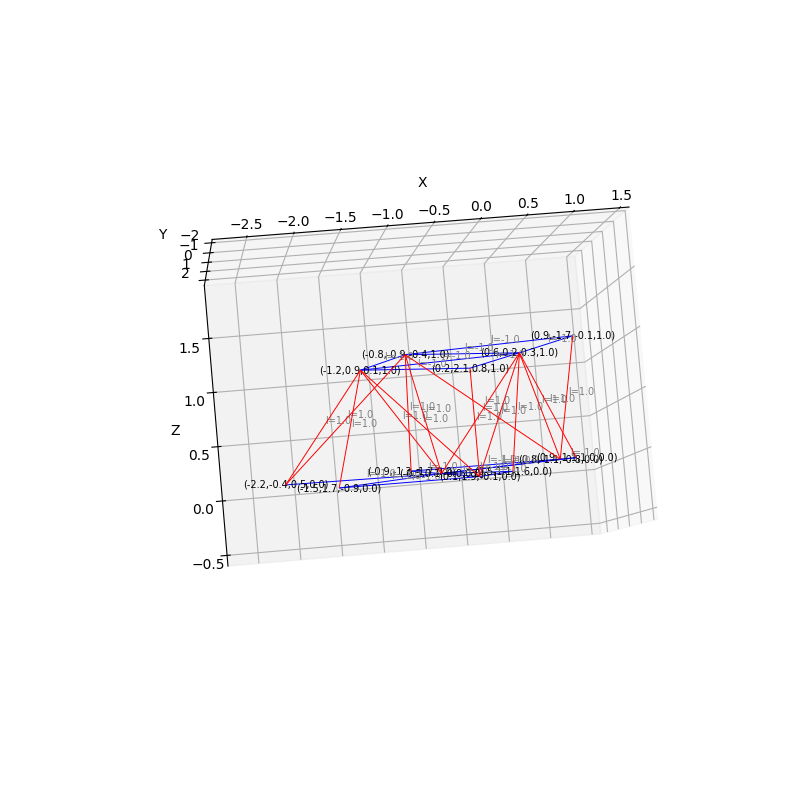
You can see an example of how the spacetime is constructed and embedded into a 3D euclidean space with the example script, examples/plot4D.py.
python3 plot4D.py --n-simplices 10
(caset) andrew@workstation03-2 caset % python3 examples/plot4D.py --n-simplices 10
---------------Building Spacetime-------------
Elapsed time:  1.013916015625
--------------/Building Spacetime-------------
---------------Embedding Euclidean------------
[embedEuclidean-fixedTime] iter 200 loss=22.755005 length=5.891840 rep=0.168632
[embedEuclidean-fixedTime] iter 400 loss=20.746782 length=5.572462 rep=0.151743
[embedEuclidean-fixedTime] iter 600 loss=20.366627 length=5.428848 rep=0.149378
[embedEuclidean-fixedTime] iter 800 loss=20.330727 length=5.416332 rep=0.149144
[embedEuclidean-fixedTime] iter 1000 loss=20.312382 length=5.411129 rep=0.149013
[embedEuclidean-fixedTime] iter 1200 loss=20.279960 length=5.388338 rep=0.148916
[embedEuclidean-fixedTime] iter 1400 loss=20.275390 length=5.388520 rep=0.148869
[embedEuclidean-fixedTime] iter 1600 loss=20.273111 length=5.387974 rep=0.148851
[embedEuclidean-fixedTime] iter 1800 loss=20.271108 length=5.386815 rep=0.148843
[embedEuclidean-fixedTime] iter 2000 loss=20.269556 length=5.385744 rep=0.148838
[embedEuclidean-fixedTime] iter 2200 loss=20.268537 length=5.384959 rep=0.148836
[embedEuclidean-fixedTime] iter 2400 loss=20.267968 length=5.384461 rep=0.148835
[embedEuclidean-fixedTime] iter 2600 loss=20.267695 length=5.384176 rep=0.148835
[embedEuclidean-fixedTime] iter 2800 loss=20.267581 length=5.384025 rep=0.148836
[embedEuclidean-fixedTime] iter 3000 loss=20.267540 length=5.383947 rep=0.148836
[embedEuclidean-fixedTime] iter 3200 loss=20.267527 length=5.383909 rep=0.148836
[embedEuclidean-fixedTime] iter 3400 loss=20.267524 length=5.383890 rep=0.148836
[embedEuclidean-fixedTime] iter 3600 loss=20.267523 length=5.383881 rep=0.148836
[embedEuclidean-fixedTime] Iteration: 3654 Final loss: 20.267523 Previous loss: 20.267523
Elapsed time:  1117.57275390625
----------------------------------------------
And that will output a nice plot like this:
Customizing the Spacetime
The default topology is a Toroid, the default signature is Lorentzian, and the default edge length is 1 (for spacelike
edges) or -1 (for timelike edges).
You can adjust the behavior of that Spacetime by defining a Metric with a Signature as well as setting an
alpha value to use as the default edge length.
The default Topology is a Toroid, but you can choose others or define your own. The Topology is responsible for
constructing your initial spacetime as a lattice of Edges and Vertex(s).
Once you’ve done that you can use the Simplex interface to interact with the Spacetime lattice. For example
simplices = spacetime.getSimplices()
simplices[0].getVolume()